Solice UI

Find the right React component. Faster.

Describe a UI intent in natural language, inspect ranked real React components, and keep building with Codex.

8,000 components8 families

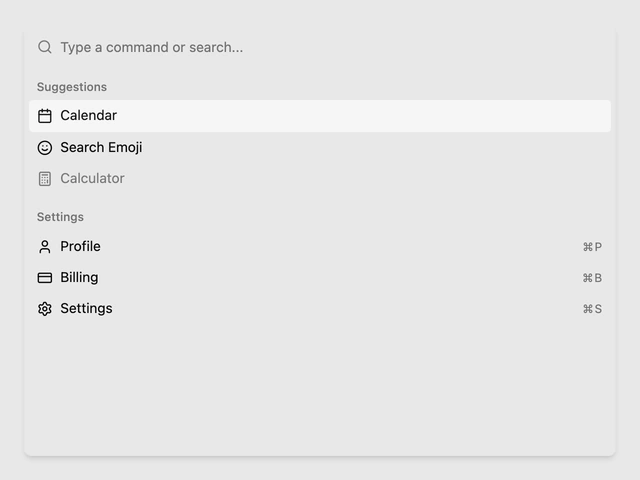
Searches the current public Solice UI Registry and shows up to three Pattern links. Use Command K to focus, arrow keys to navigate, Enter to open, and Escape to close the menu.

01 / Workflow

From intent to implementation, without guessing library vocabulary.

Solice UI keeps discovery, inspection, and implementation connected while leaving the final repository decisions with you and Codex.

  1. 01

    Describe the interface job

    Start with the action, decision, state, or recovery the interface needs to support. No library vocabulary required.

  2. 02

    Compare real matches

    Inspect ranked Registry components, their current previews, and the interaction model behind each result.

  3. 03

    Continue with Codex

    Retrieve one selected implementation package, adapt it to the current repository, and verify the result in context.

02 / Component families

Browse by the job the interface needs to do.

Eight stable families organize 8,000 React components around user-side behavior instead of one library's naming system.

View all components

03 / Tools and guides

Tools for the task. Guides for the decision.

Use a focused utility when the next action is clear, or read a source-led guide when the pattern choice still needs reasoning.

04 / Direct answers

Clear answers about Solice UI.

These answers describe the current product boundary. They are also published from the same source as the page's structured data.

What is Solice UI?

Solice UI is a public Registry and workspace for finding real React components by interface intent, inspecting the match, and retrieving an implementation package for Codex.

Does Solice UI generate components?

No. Solice UI searches and ranks current Registry components. The Prompt Builder structures a request; it does not generate code.

Is Solice UI free?

The current component search, public details, tools, workspace, and MCP retrieval are available without a paid plan.

How does Codex use a selected component?

Codex retrieves the selected PatternPackage, adapts it to the current repository and design system, and verifies the result. Solice UI never chooses repository target paths.

START WITH INTENT

Find the component that fits the work.

Browse the Registry now, or carry the selected pattern into the full Solice UI workspace.

Browse components Open workspace